10-band equalizer
Adjust gain, frequency and Q. A vertical band view, presets and a quick on/off control.
Your music. Physical buttons. An interface worth exploring.
Forma is our firmware built on Rockbox and PodBox. It gives iPod Video a fresh interface and more control over your sound.
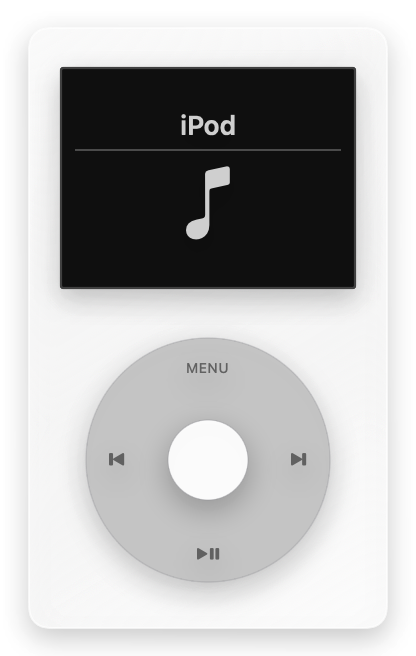
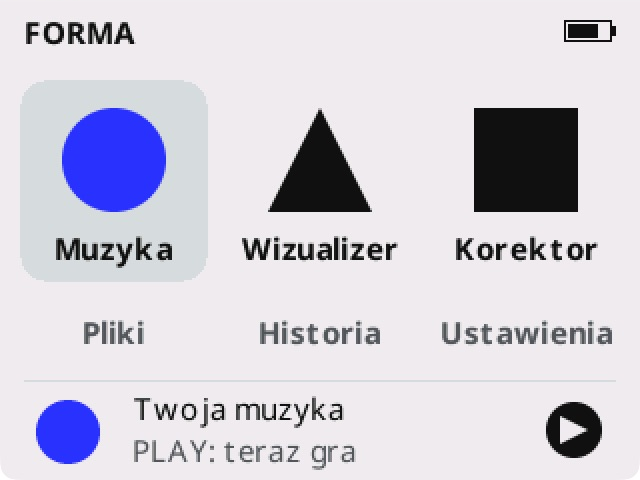
Light and dark looks, readable artwork and click-wheel control. Pick a screen to explore.
Actual native Forma simulator captures. Some views come from earlier 0.1.x versions; audio and profile screens are from 0.1.5. Sample files and track information. Captures show the Polish interface.
Adjust gain, frequency and Q. A vertical band view, presets and a quick on/off control.
Four named slots for your EQ, headroom and volume limit. Slots start empty — you create the settings.
Accounts for overlapping filters with a level margin. Set a manual minimum; EQ switches off if required headroom exceeds its limit.
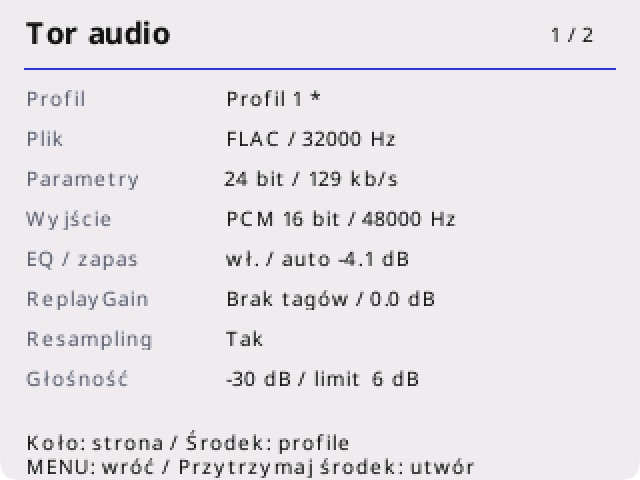
Source codec and properties, mixer rate, PCM output, ReplayGain, resampling and active audio processing.
Local music files, album and artist browsing, folders, history and playlists. MP3, FLAC and formats supported by Rockbox.
Two coherent interface styles, Polish characters and an English interface. The click wheel stays in charge.
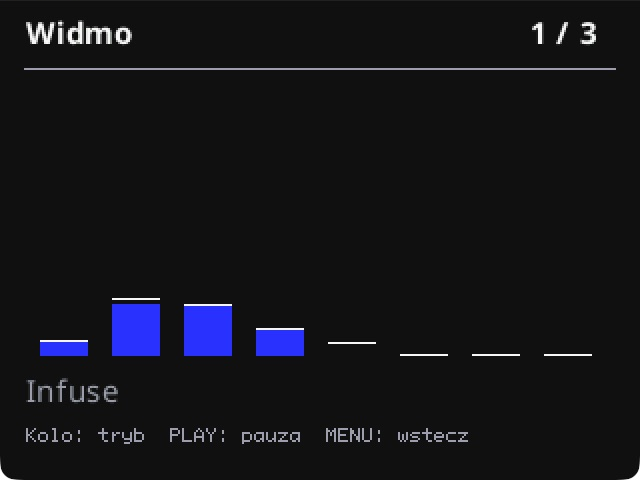
The visualizer uses real PCM samples. Choose an eight-band spectrum, waveform or stereo VU meters.
The displays are illustrative, not calibrated measurement instruments. Analysis runs while the visualizer is open.
Forma runs on the iPod. PodDock runs on your computer and manages music, artwork and themes.
The Forma installer is now included in PodDock 0.7.4 for macOS and 0.8.4 beta for Windows and Linux. It checks compatibility, makes a verified backup of the entire .rockbox directory, installs firmware and can restore the previous version.
Download PodDock ↗Development release 0.1.5-dev. ARM compilation, package checks and simulator tests passed. Booting and listening with this version on a physical iPod still need verification.
Forma 0.1.5-dev · ipodvideo · ARMFor advanced users: the package requires a compatible Rockbox bootloader. The PodDock installer does not change disk partitions.
It is more than a theme. Forma includes its own interface and firmware changes, such as headphone profiles and the audio path view. Sudo is a separate theme; Forma is a full firmware package.
Playback on the iPod is local. Your music lives on your device. Downloading an installation package requires an internet connection.
Forma reads formats supported by Rockbox. File properties do not imply the same output properties: Audio Path shows the actual mixer and PCM output. We do not promise 24-bit iPod output.
Profiles can limit the volume setting and add EQ headroom. They do not measure sound pressure or guarantee hearing protection or the absence of all clipping.
Rockbox and PodBox. We retain authorship notices and open-source licences. The corresponding source for this release is available to download under the GPL. This is an independent project, not affiliated with Apple, Rockbox or ACTIVO.